Payments, refunds, and Stripe
Collect payments, monitor status, and process refunds from one payments workspace.
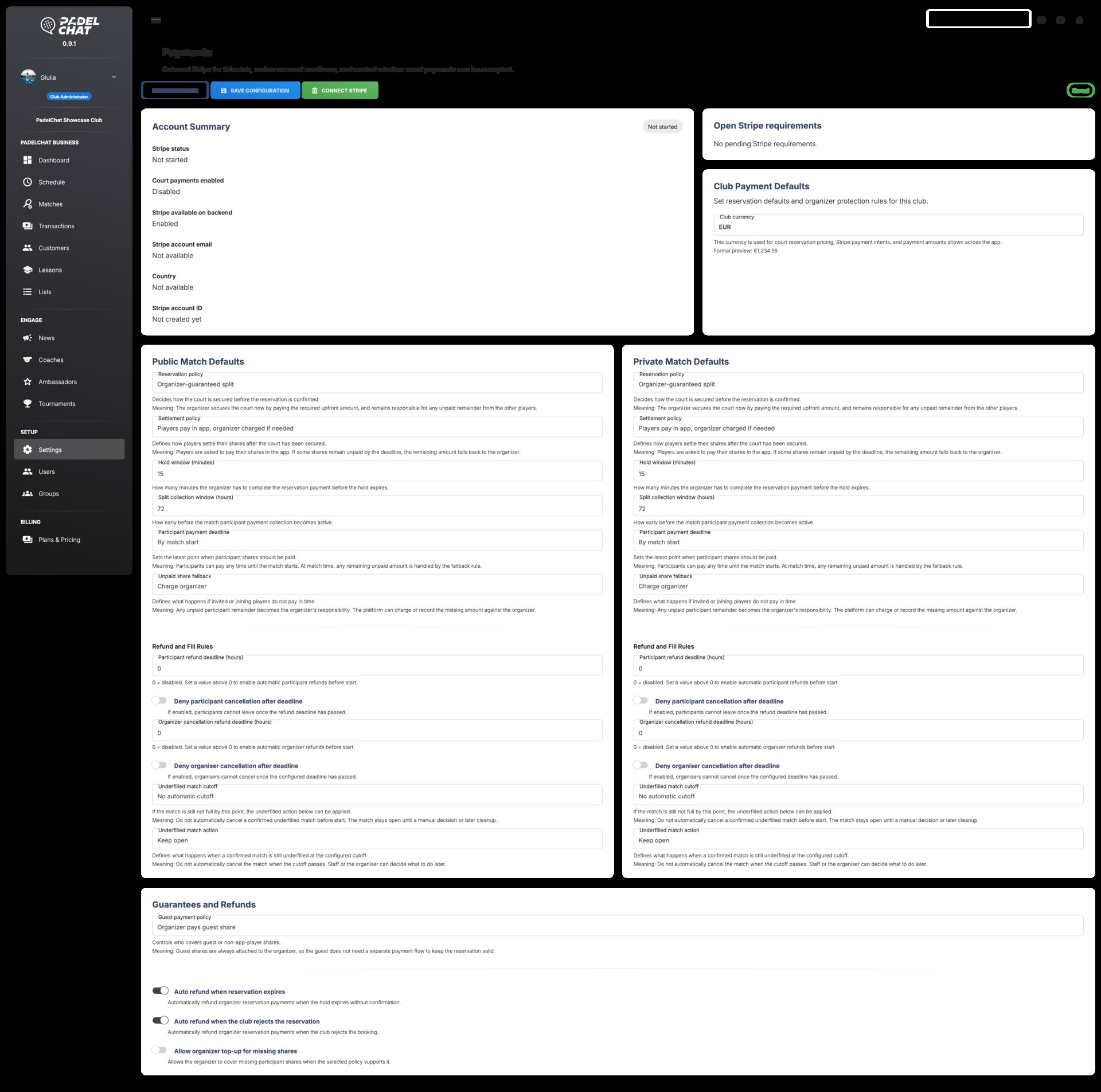
Stripe is connected directly to the club workflow so staff can track collections, confirm payment state, and handle refunds without leaving Business Manager.
* In the future we may introduce commissions for additional optional services, never for basic booking payments.
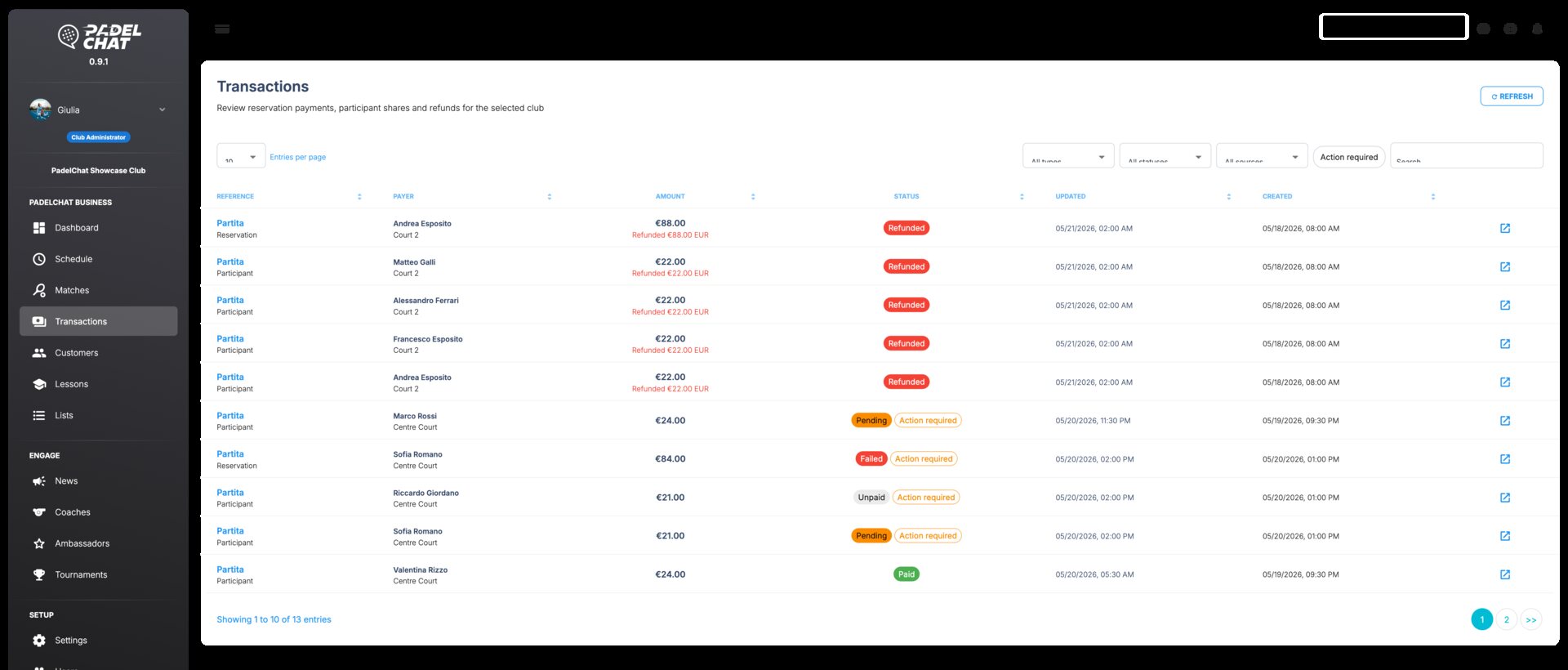
Checkout states, settlement panels, refund actions, and payment status blocks.
Available screens
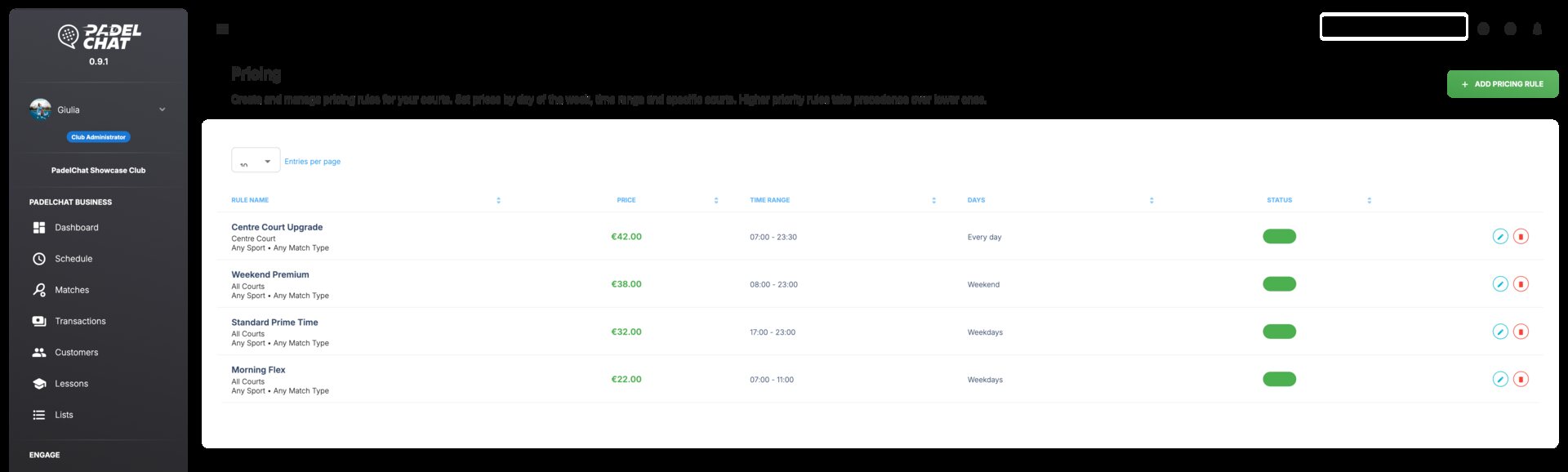
These screens show the main views available in this section and the workflows they support.
Core capabilities
- Direct in-app payments for courts, bookings, and club collections.
- Refund handling from the same operational flow when something changes.
- No PadelChat commission on basic booking payments.
How clubs use it
The club connects Stripe and activates direct payment collection for bookable services.
Payment status stays visible while players pay in app and staff track settlements.
Refunds are managed from the same workspace when bookings change or must be canceled.
Other sections
Operations dashboard
Track courts, occupancy, alerts, and open tasks from the daily control view.
Bookings and calendar
Control the live court calendar, reservation changes, and availability from one schedule.
Members and customer lists
Manage customer records, lists, and segmentation from the club CRM layer.
Coaches and lessons
Coordinate coaches, lesson programs, capacity, and training visibility.
Tournaments and events
Manage tournament formats, participants, standings, brackets, and event operations.
News, ambassadors, and promotion
Publish club news, coordinate ambassadors, and manage promotional output.
Team, roles, and permissions
Set staff access, roles, groups, and permissions with clear governance.